
Download Print Edit – Webpage Customization, Print Optimization, Productivity Tool
Overview
Print Edit is a specialized utility designed to enhance the web printing experience by allowing users to customize content before printing. The app enables users to selectively include or exclude text, images, and other webpage elements, ensuring that only relevant information appears in the final printout. This functionality is particularly valuable for individuals and professionals who frequently print web content for reference, documentation, or presentation purposes. By eliminating clutter such as ads, navigation bars, and redundant links, Print Edit streamlines the output into a clean, focused document.
Target users include students, researchers, office workers, and anyone who relies on printed web content. The app addresses a common pain point: the poor quality and excessive content of default browser printouts. Instead of printing entire pages with unwanted elements, users can tailor the output to their exact needs. The developer did not provide additional technical details about the origin or background of the app, but its long-standing presence since 2010 suggests a proven track record in the productivity space.
Print Edit fills a niche in the mobile and desktop app ecosystem by offering a lightweight, focused tool that improves document clarity and reduces paper waste. Its ability to transform chaotic web pages into organized, printable formats adds tangible value to daily workflows. The app’s purpose is not to replace browsers but to complement them, making web content more usable in physical form.
Key Features & Functionality
- Easy Right-Click Access: Users can activate Print Edit with a simple right-click on any webpage, making the tool instantly accessible without complex setup or additional navigation.
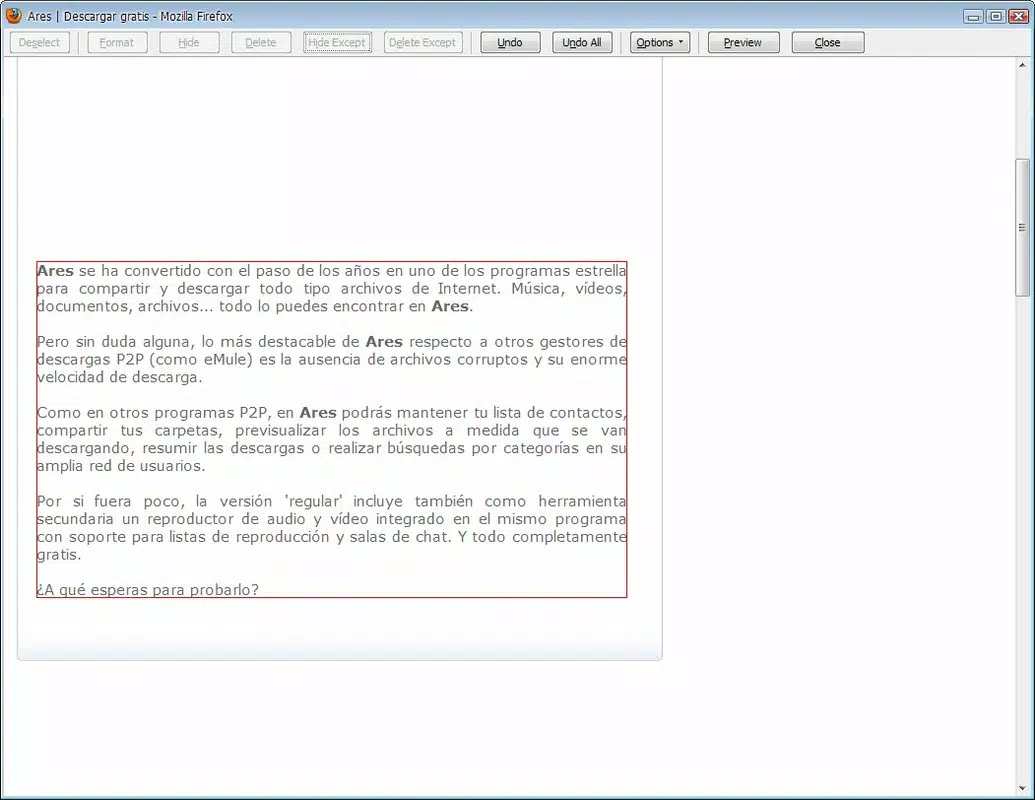
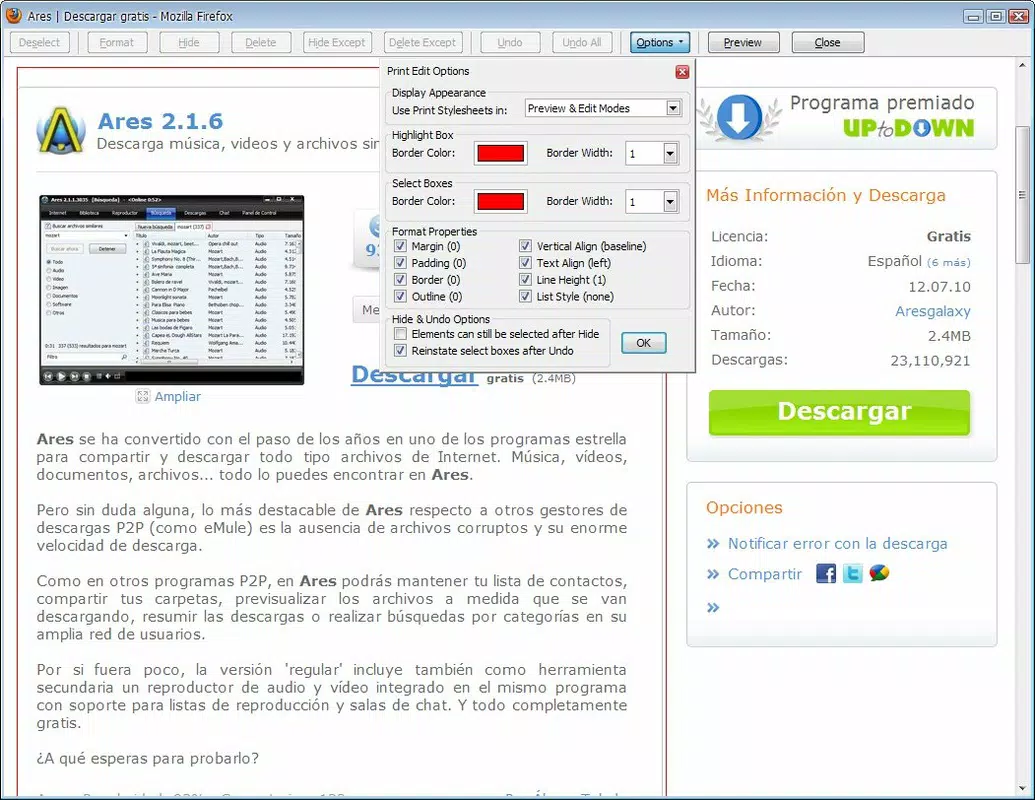
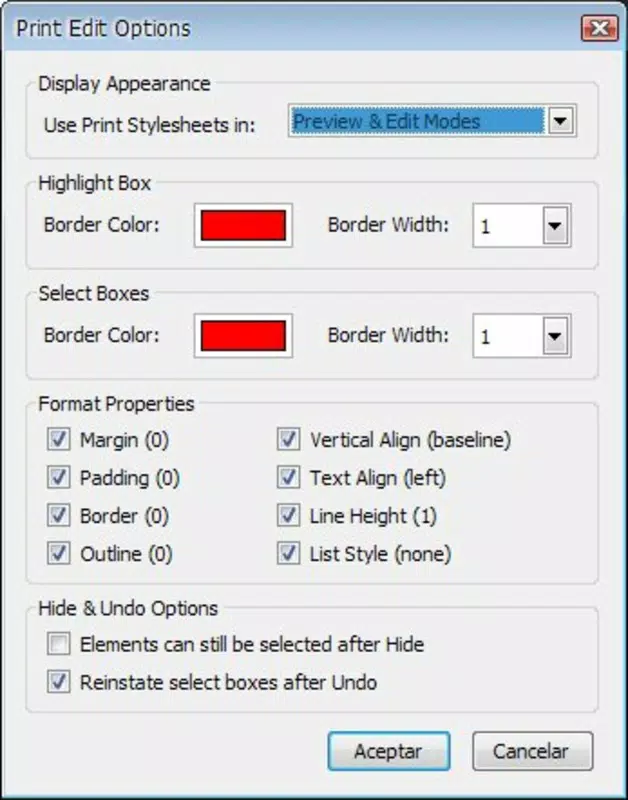
- Quick Editing Interface: After activation, a clean window opens, presenting users with a straightforward layout to modify content. The interface is designed for rapid adjustments, allowing users to make changes in just a few clicks.
- Selective Content Inclusion: Users can highlight specific text or images and choose to include or exclude them from the printout, enabling precise control over what appears on paper.
- Improved Print Quality: By removing irrelevant or distracting elements such as banners, sidebars, and footers, the app enhances the visual clarity and professionalism of printed documents.
- Versatile Editing Options: The tool allows users to delete any unwanted part of a webpage before printing, empowering them to create custom, tailored documents that meet specific needs.
For example, a student preparing study notes can use Print Edit to extract only key paragraphs and diagrams from a research article, excluding advertisements and related links. A professional might use it to print a clean version of a project summary from a company website, omitting navigation menus and social media icons. These real-world use cases demonstrate how Print Edit supports productivity and reduces waste by ensuring only essential content is printed.
Interface, UX & Performance
The user interface of Print Edit is designed with simplicity and efficiency in mind. The editing window appears immediately after a right-click, featuring a minimal layout that prioritizes usability. Navigation is intuitive, with clear visual cues that guide users through the selection and exclusion process. The app does not require users to learn complex commands or switch between multiple panels, which contributes to a smooth and stress-free experience.
Although the developer did not list formal performance metrics, the app’s lightweight nature suggests it operates efficiently on a variety of devices. Users can expect responsive interactions, with minimal lag when selecting or removing elements. The stability of the tool is implied by its long-term availability since 2010, indicating consistent performance across updates and browser versions.
While specific device compatibility details were not provided, the app appears to function reliably across different screen sizes and resolutions. The design avoids clutter and maintains readability, ensuring that users can focus on content editing without distraction. Overall, Print Edit delivers a stable, user-friendly experience that aligns with modern UX standards.
Platform Compatibility & Technical Requirements
Print Edit is available on both Android and iOS platforms, making it accessible to a broad range of smartphone and tablet users. The app supports the latest software versions as of its release date in 2010, though specific OS requirements were not listed. The file size of the application is approximately 12.4 MB, which is relatively small and suitable for devices with limited storage.
Users can download the latest version of Print Edit through official app stores or secure third-party sources. The app does not require extensive permissions, as it operates primarily within the browser context. The developer did not specify minimum OS requirements or hardware capabilities, so compatibility may vary depending on the device and browser configuration.
Pros and Cons
Pros
- Simple right-click activation for immediate access
- Intuitive interface that requires no learning curve
- Effective content customization before printing
- Reduces paper and ink waste by printing only relevant content
- Lightweight design with minimal storage impact
Cons
- Compatibility information was not fully disclosed
- Specific technical requirements were not listed
- May not support all web layouts or dynamic content
- Limited to browser-based webpage editing
- No built-in sharing or saving options for edited content
FAQ
Is Print Edit safe to download and use?
Yes, Print Edit is designed as a utility tool that operates within the browser environment. It does not require excessive permissions and is not known to contain malware. Users should always download from trusted sources to ensure security.
Can I use Print Edit on both Android and iOS?
Yes, the app is available on both Android and iOS platforms. Users can install it via official app stores or secure APK sources.
Does Print Edit require an internet connection?
Yes, since the app functions within the browser context, an active internet connection is required to access and edit webpages.
How do I update Print Edit?
Updates are typically delivered through the app store. Users should check for updates regularly to ensure they have the latest version with improved stability and compatibility.
Can I save my edited print layouts for future use?
The developer did not provide information about saving or exporting edited layouts. Users may need to re-edit each time they print a page.
Final Thoughts
Print Edit stands out as a practical, no-frills tool that solves a persistent issue in digital workflows: the inefficiency of printing entire web pages. Its ability to let users selectively edit content before printing enhances clarity, reduces waste, and improves productivity. While it lacks advanced features like cloud sync or file export, its core functionality is executed with precision and ease.
Students, researchers, and professionals who frequently print web content will find the app invaluable. Its lightweight design, simple interface, and focus on utility make it a reliable addition to any smartphone toolkit. For those seeking a secure, efficient way to print only what matters, Print Edit delivers real-world value.
Download Print Edit now


